
Turn Your Ideas IntoManufacturing-Ready DesignsFaster With AI
Use the parametric Engine to generate precision parts, Describe your part in our design lab to generate it with AI precision, save it to your Parts library, then assemble everything in the built-in 3D workspace — no CAD software needed.
Parametric Engine — Instant Precision Parts
Generate gears, brackets, fasteners, and structural shapes with exact dimensions. Tweak parameters in real time and preview the geometry before saving.
AI Chat + 3D Builder in One Canvas
Describe modifications in the AI chat, build primitives with the 3D modeler, or upload your own STL/STEP files — all side-by-side in a single workspace.
Parts Library + Assembly Workspace
Save generated parts to your project library, then load them into the Assembly tab to position, orient, and combine into full assemblies.
The real workspace.
This is the actual InnovaBeam interface — real 3D viewer, real material properties, real section cut controls. Switch models and interact with everything below.
Everything below is the real app
Every screenshot on this page is the actual InnovaBeam interface, not a mockup. Five workspaces cover the full workflow — Projects to organize your work, the Parts Engine and Design tab to create, Parts to manage what you've built, and Assembly to bring it together.
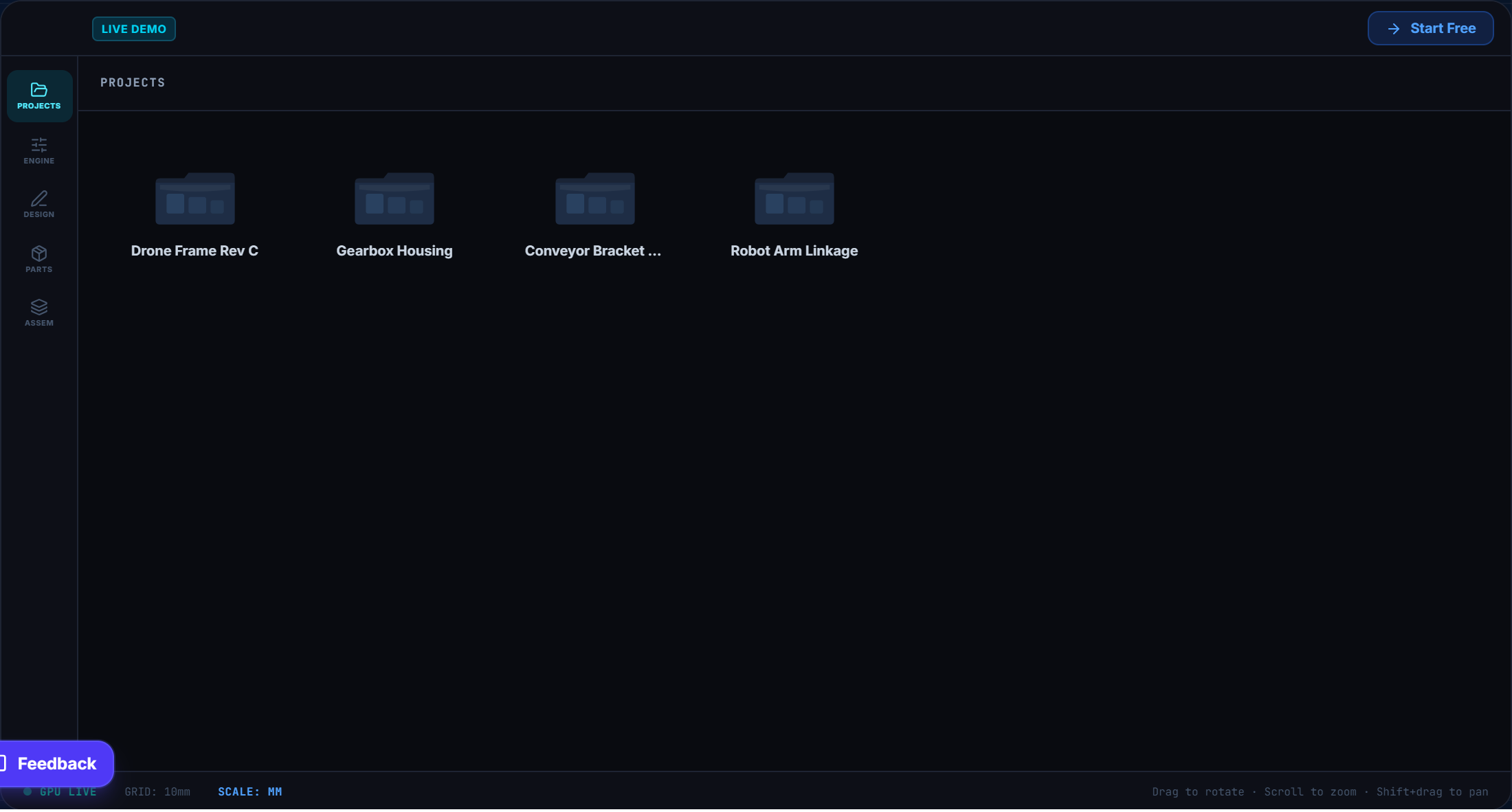
Organize every design in its own project folder
Every design lives inside a project — a home for its parts, AI chat history, and delivered files. Create as many as your plan allows, jump between them instantly, and pick up exactly where you left off.
- Folder-based organization — one project per part, assembly, or client job
- Rename, duplicate, or delete projects without leaving the dashboard
- Every project keeps its own AI chat history, parts, and files together
- Jump back into any project's Design tab in one click
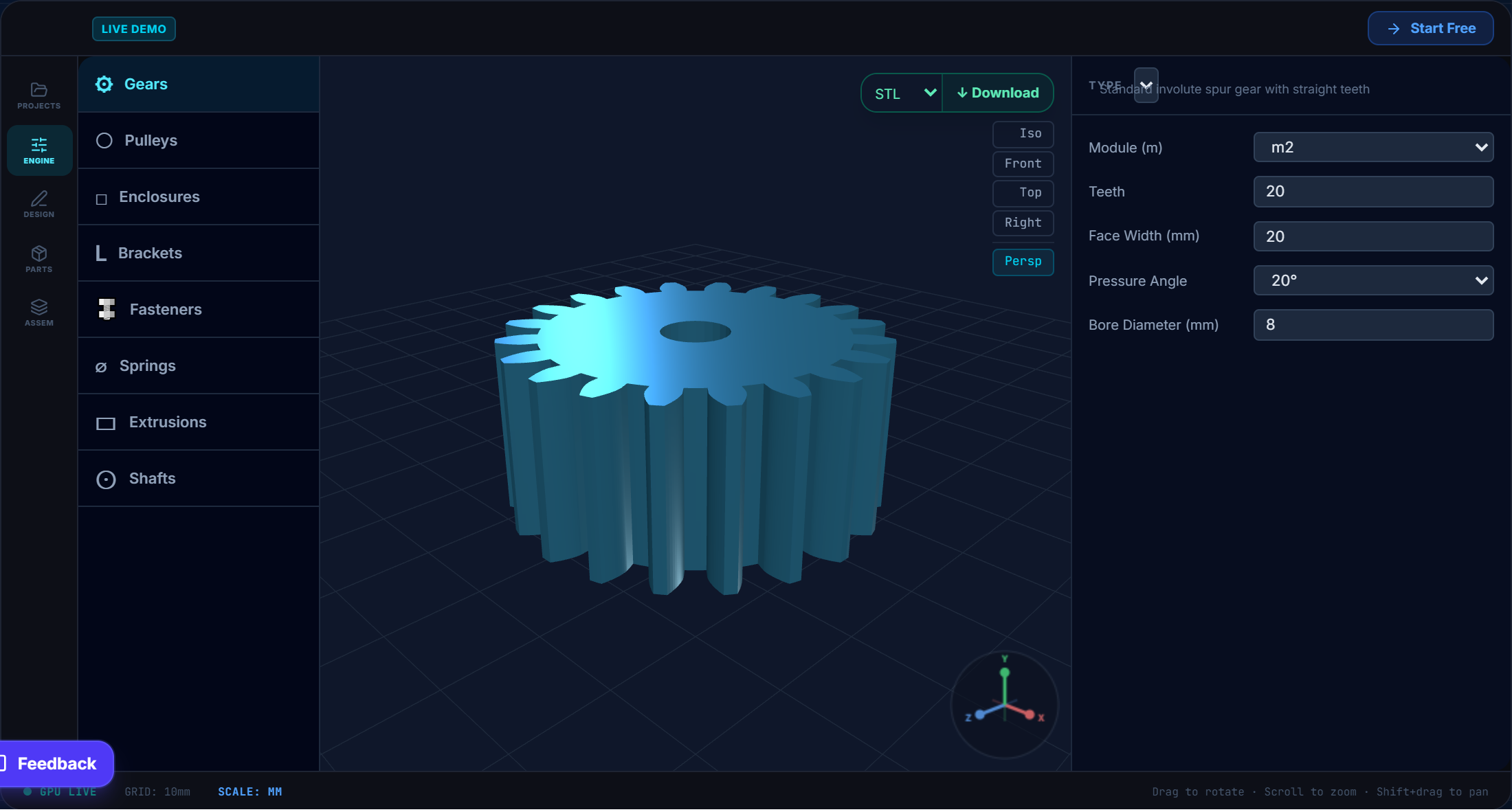
Generate precision parts from real parametric templates
Pick a category, tune the exact dimensions, and watch the geometry update live. No modeling required — every generator produces manufacturing-accurate output.
- 8 categories: Gears, Pulleys, Enclosures, Brackets, Fasteners, Springs, Extrusions, Shafts
- Spur, helical, ring, rack, and planetary gear systems with live tooth/module controls
- Standard V-belt, flat, and timing pulleys, plus DIN-standard fasteners and brackets
- Export straight to STL, STEP, or OBJ — or send it to Parts or the Design tab in one click
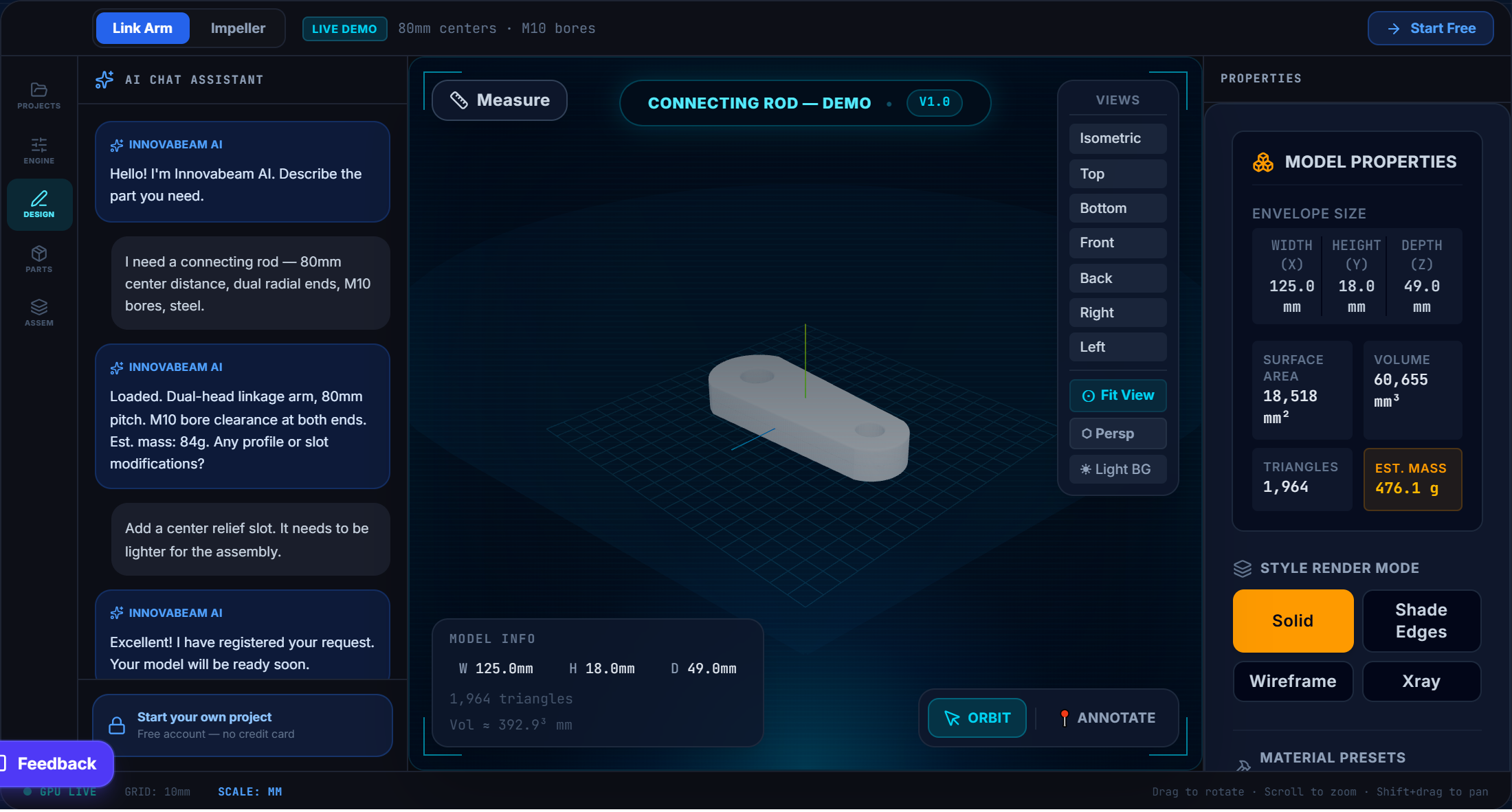
Describe it in chat, watch it build itself in 3D
The Design tab pairs an AI chat assistant with a full 3D builder and a live GPU viewport — describe a part in plain language, tweak it with real controls, and see every change instantly.
- AI chat understands engineering vocabulary — dimensions, tolerances, thread specs, load conditions
- Real-time GPU-accelerated 3D viewport — orbit, zoom, and pan with full mouse controls
- 4 render modes (Solid, Shade Edges, Wireframe, X-Ray) and adjustable material presets
- Live model properties: envelope size, surface area, volume, triangle count, estimated mass
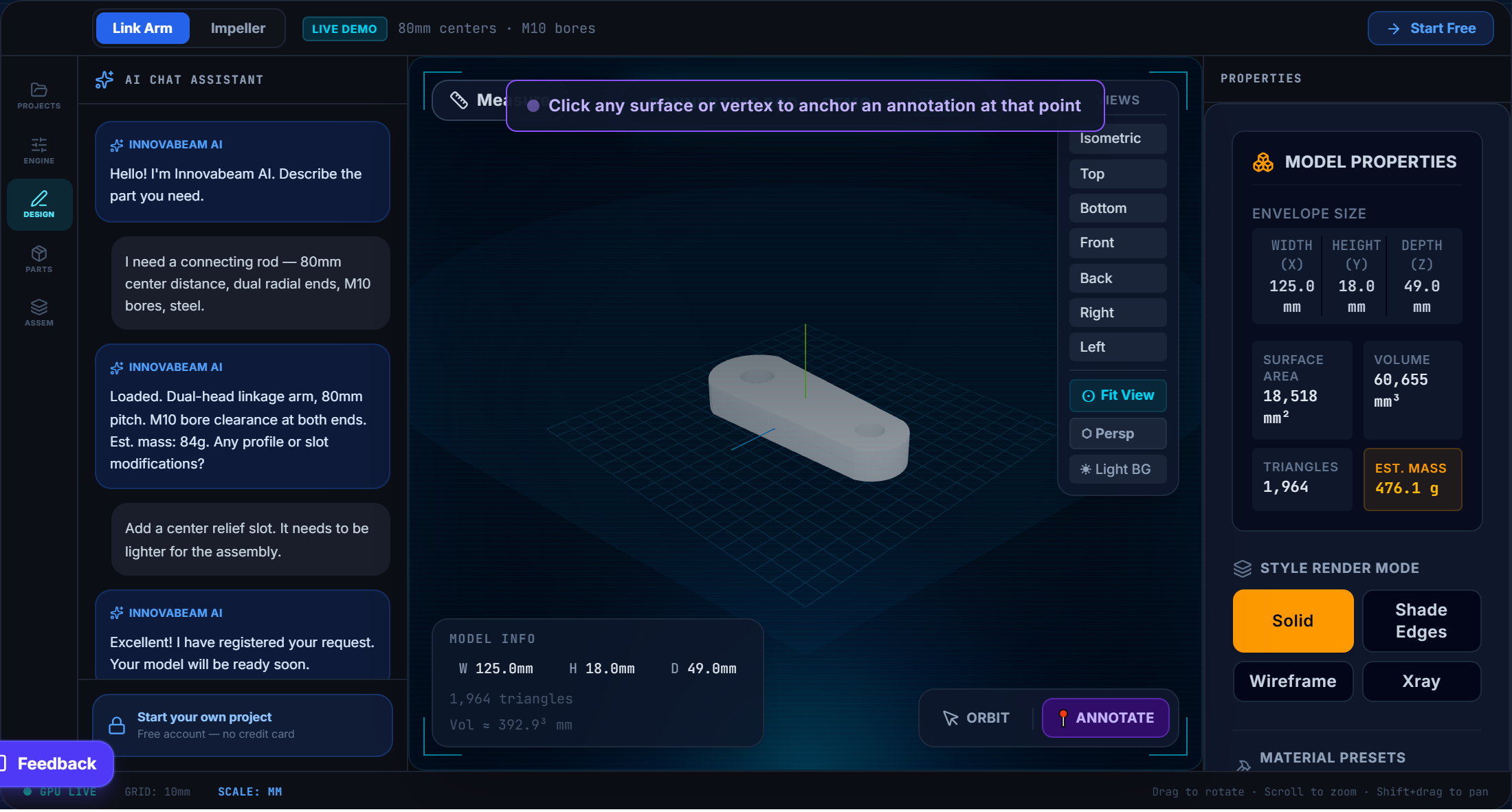
Annotate, measure, and mark up the model directly
Click any face or vertex to drop a threaded annotation pin, or switch to the measure tool to check exact distances and angles — no separate CAD software, no exporting for review.
- 3D surface pins anchored to exact points on the geometry, not the screen
- Threaded comments on every annotation for revision requests
- Measure tool for distance and angle between faces, edges, or vertices
- Download the finished model as STL or STEP whenever you're ready
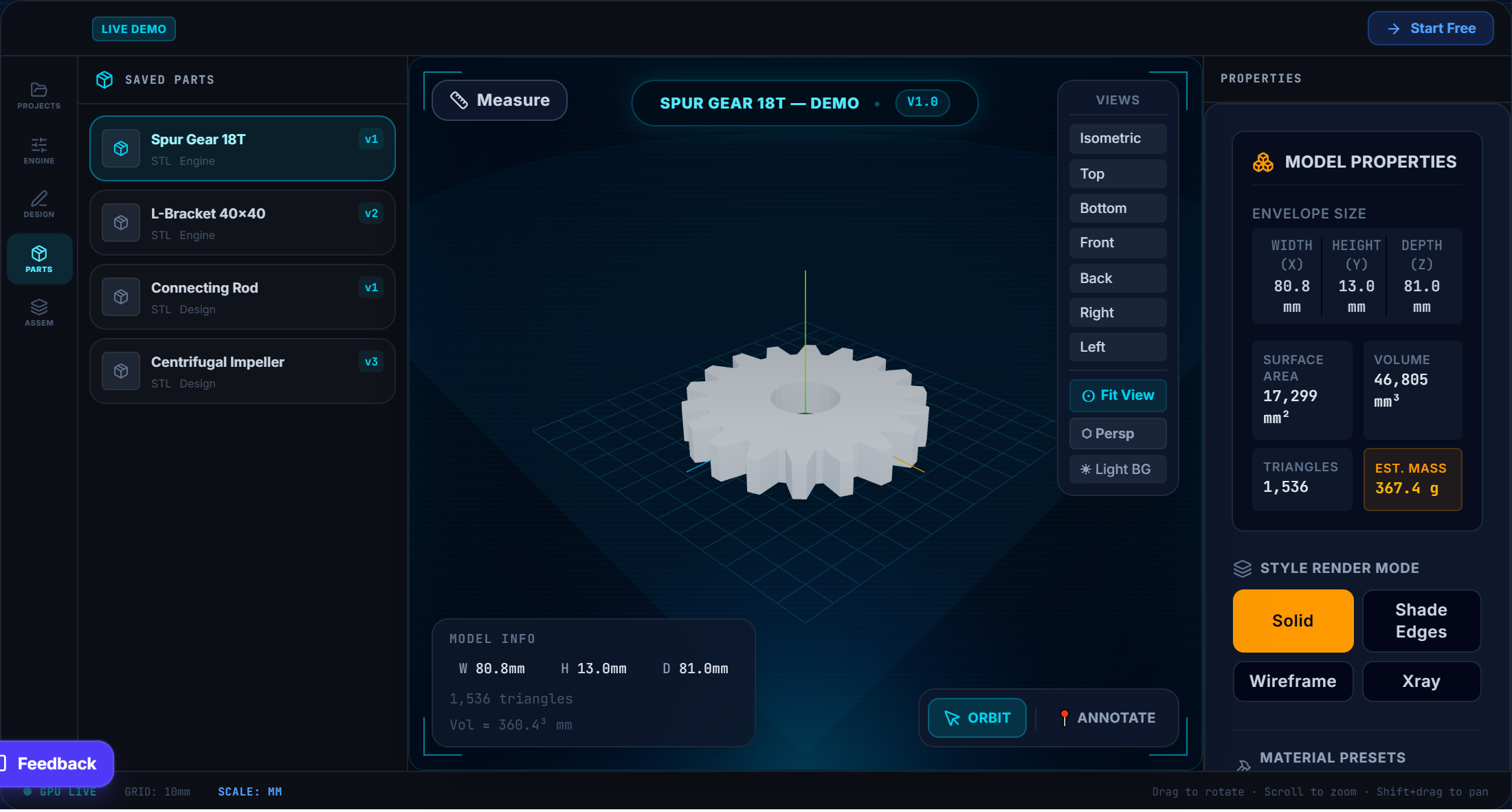
Every saved part, from every tool, in one library
Parts generated in the Engine and models built in Design land in the same library. Search, filter by source, preview in the full 3D viewer, and reuse them in any assembly.
- Unified library — Engine-generated and Design-built parts side by side
- Version history for every part, with one-click rename, duplicate, or delete
- Full properties panel and material controls on every saved part
- Add any part straight into a project or pull it into the Assembly tab
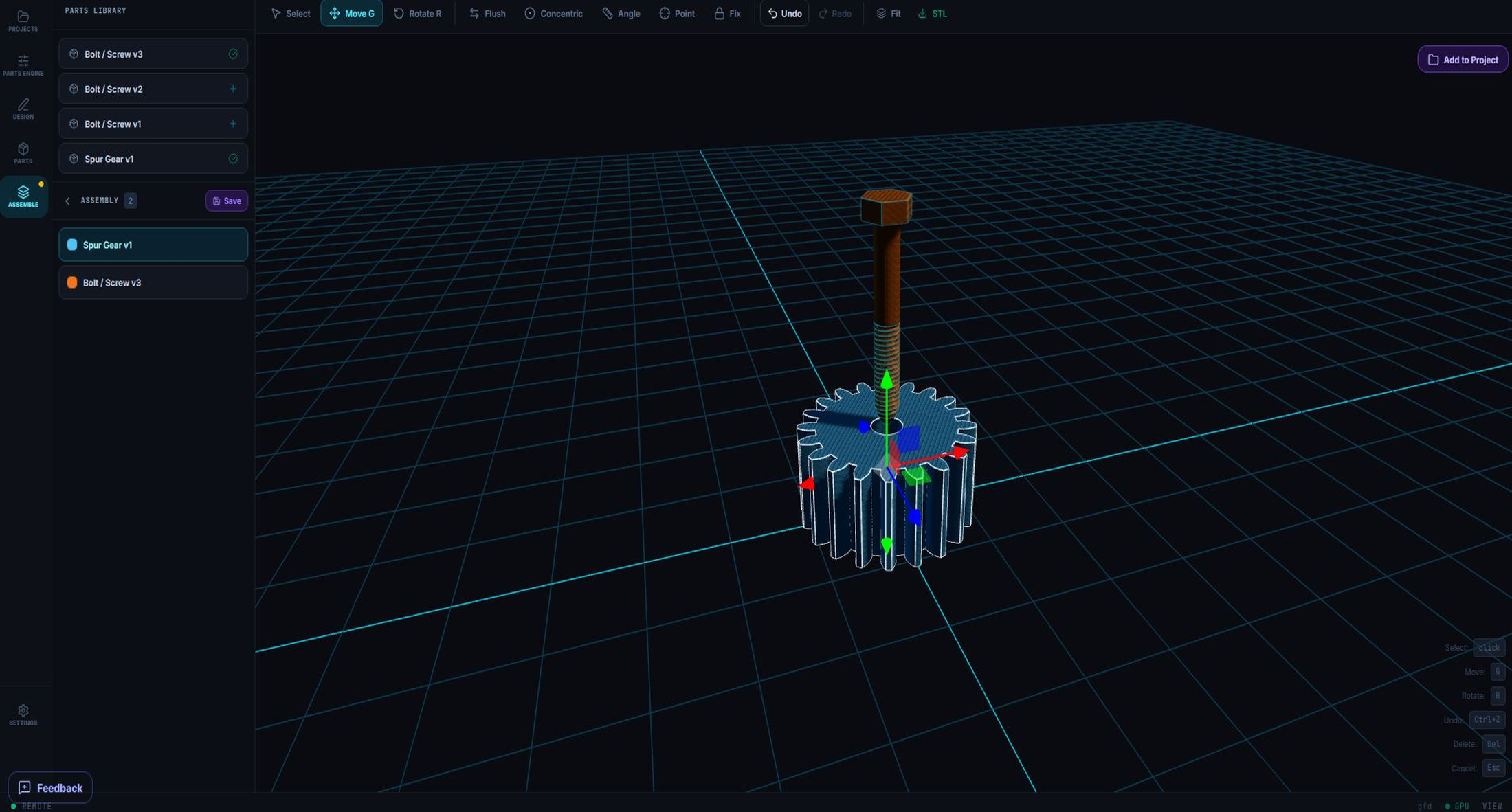
Combine parts into a positioned, constrained assembly
Drag parts from your library into the assembly workspace, then position them with real constraint tools — mate faces, set concentric bores, fix parts in place — the same way you would in professional CAD.
- Move, rotate, and select gizmos with precise transform controls
- Mate, Flush, Concentric, Insert, Angle, and Point constraints
- Save multiple assembly versions per project
- Add the finished assembly straight into your project files
From idea to finished model in 5 steps
Every project follows the same simple flow — describe, process, review, refine, download.
Hello! Describe the part you need — material, dimensions, load conditions, bore or thread specs. I'll capture everything.
I need a 90° L-bracket, 60×40mm legs, 8mm wall, M6 through-holes on each face, steel 316L, rated for 200N static load.
Specs captured
Type: L-bracket · 90°
Dims: 60×40mm · Wall: 8mm
Holes: M6 through · each face
Material: Steel 316L · Load: 200N
Looks correct! Go ahead and submit.
Request a new model or modification via InnovaBeam AI chat
Open the Design Chat and describe what you need in plain language. The built-in Gemini AI extracts every mechanical requirement — dimensions, material grade, thread specs, load rating — and confirms them before anything is built.
- Works in plain English — no CAD knowledge required
- Request a brand-new model or describe changes to an existing one
- AI confirms all specs back to you before the brief is submitted
Simple, transparent pricing
Try it free: AI design chat, the 3D workspace and the parts generator — download anything the generator makes — plus three requests to a CAD specialist on us. Paid plans add saving your designs, importing your own files, downloads of delivered files and more design requests.
Maker
For hobbyists and 3D printing.
Billed monthly · Pause or cancel anytime
- 1 design request at a time — the next opens when it is delivered
- 24-hour target turnaround per request
- Single parts — one solid per request
- Print-ready STL and 3MF files
- G-code on request, made for your printer and material
- Save your designs and import your own files
Innovator
For individual professionals and startups.
Billed monthly · Pause or cancel anytime
- Everything in Maker, plus:
- 2 design requests at a time
- 12-hour target turnaround per request
- STEP files ready to share with your manufacturer
BusinessPRO
For businesses and companies.
Billed monthly · Pause or cancel anytime
- Everything in Innovator, plus:
- 3 design requests at a time
- 6-hour target turnaround per request
- Multi-part assemblies
- DXF and DWG drawings
- Source files for Inventor (IPT, IAM), SolidWorks (SLDPRT, SLDASM) and Fusion 360 (F3D)
Secure checkout via Stripe. Pause or cancel anytime. Taxes may apply.
Frequently Asked Questions
An engineering design service with a 3D workspace. You describe the part you need, a real CAD engineer designs it, and you get manufacturing-ready files back in your project. The AI chat, the parts generator and the live 3D viewport help you describe, explore and check your design along the way.
No. Every requested design is made by a real CAD engineer. The AI helps turn your description into a clear brief and lets you explore ideas, so the engineer can start straight away.
None at all. Describe what you need in plain language — dimensions, material, how it will be used — and add a sketch or photo if you have one. That's enough for us to start.
Create a project, describe the part in the design chat and file the request. An engineer designs it and delivers the files to your project, and we email you when it's ready.
Each request has its own target turnaround: 24 hours on Maker, 12 hours on Innovator and 6 hours on Business. The clock starts once we have everything we need to begin — the main dimensions, plus a sketch or photo where the part needs one — and pauses while we wait for your answers. The details are in our Terms.
Ask for them in a new request. Real design work happens in rounds — we make it, you try it, you ask for a tweak, we make that — and each round gets your plan's target turnaround.
1 on Maker, 2 on Innovator and 3 on Business. They can be for the same project or different ones, and a slot opens again as soon as one of them is delivered.
One solid piece. A machine made of several parts is several requests, one per part, and designing multi-part assemblies that fit together is on the Business plan. We design what you specifically ask for; open-ended research and development isn't part of a request.
Maker: print-ready STL and 3MF, plus G-code on request. Innovator adds STEP, the format machine shops and manufacturers work from. Business adds DXF and DWG drawings and source files for Inventor (IPT, IAM), SolidWorks (SLDPRT, SLDASM) and Fusion 360 (F3D).
Yes, on request. G-code is made for one specific printer, so tell us your printer model, nozzle and material and we'll slice it for that setup. For any other printer, use the STL or 3MF file.
You do. Every design we deliver to you is yours to use, change and manufacture.
A tool that builds common parts instantly from the dimensions you enter. Anyone can use it and download what it makes — STL, OBJ or STEP — including on the free plan.
Yes. Free gets you unlimited projects, AI design chat, the live 3D viewport and the parts generator with downloads, plus three free requests to a CAD engineer so you can see finished designs before paying. Saving your designs, importing your own files, downloading delivered files and more requests are on the paid plans. No credit card needed.
Yes, on paid plans. Create a link from your project and choose whether the person can download it or only view it in 3D. Links expire after 7 days.
Plans are billed by card, monthly or yearly. Paying yearly gives you 2 months free.
Yes, any time, from Account Settings. Pausing stops billing and keeps your plan and price; you're on the free features until you resume, and your next payment moves back to cover the paused time. Cancelling stops all future charges, and you keep your plan until the end of the period you've already paid for.
Not yet. Each plan belongs to one person's account.
Your next great product starts with an idea.
InnovaBeam helps you turn that idea into a real, manufacturable design faster.